
In GTA 6 (Grand Theft Auto VI) you can use the Autodrive feature to automatically drive your vehicle or boat to any custom map marker. Then you can lean back and wait until you arrive at the destination. Note that there’s also complete Fast Travel by calling taxis and rideshares.
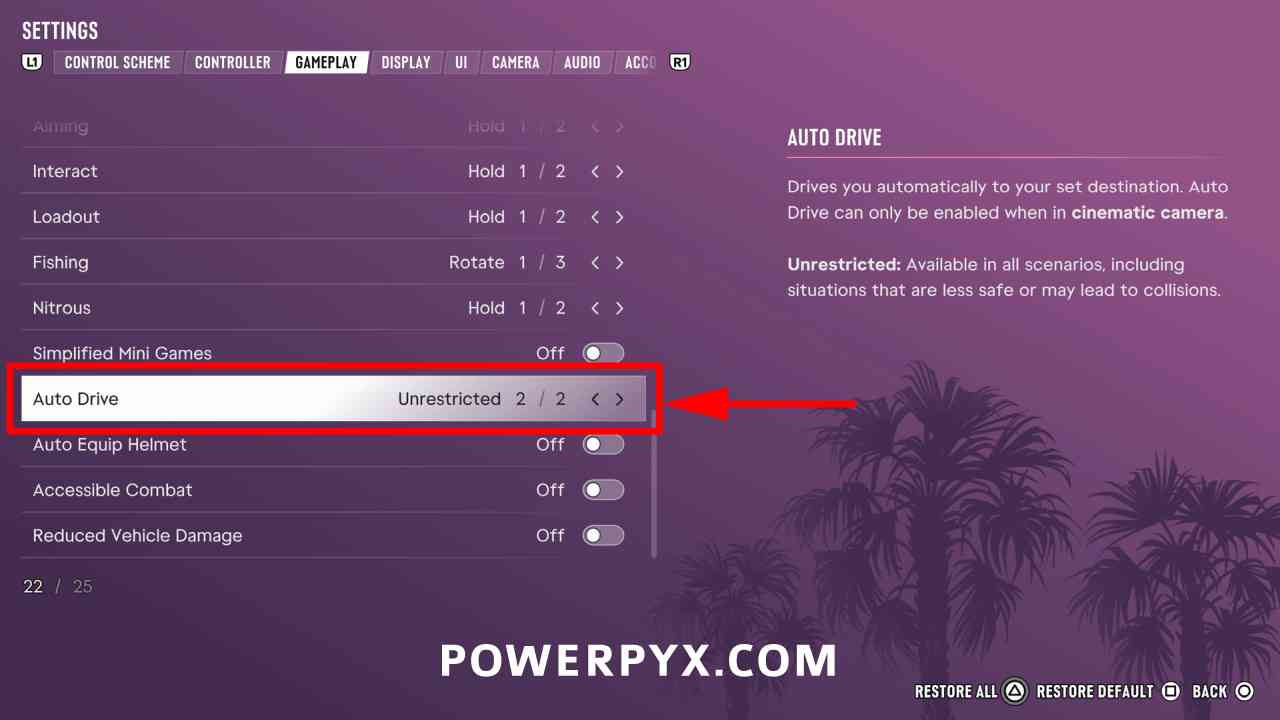
Step 1: Go to Settings > Gameplay > Auto Drive = Unrestricted. This ensures Autodrive will work anywhere.
Step 2: Mark the destination on the map with the green custom waypoint (press X/A on map where you want to autodrive to).
Step 3: While driving a vehicle or boat, press D-Pad Down > Options-Button (PlayStation) / Menu Button (Xbox) > hold Circle (PlayStation) / B (Xbox) > press R2/RT to speed up.
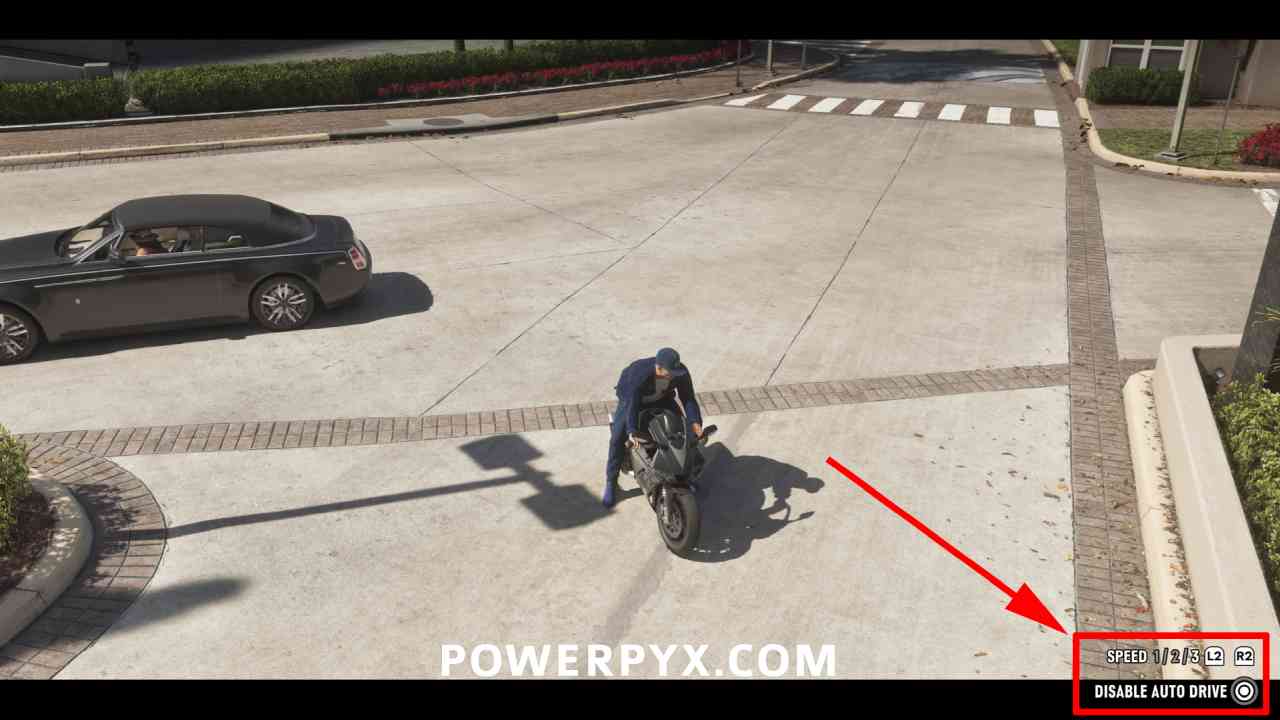
Autodrive can only be used in the Cinematic camera mode. You can disable Autodrive again by holding Circle/B.
Note: Autodrive does not work in aircraft (planes/helicopters). It only works with vehicles and boats. Vehicles still consume fuel while in Autodrive, when you run out of fuel you’ll have to refuel at a gas station.